
Help · Safari on iPhone
Turn on RightCard in Safari
To turn on RightCard in Safari, open Settings, then Apps, then Safari, then Extensions. Tap RightCard Offers Sync, turn on Allow Extension, and set your bank's website to Allow. Then open your bank's Offers page in Safari and tap RightCard Offers Sync in the Page Menu. You sign in to your bank yourself.
iPhone · iOS 17 and later · about two minutes, once · Updated November 22, 2026
Turn it on (once)
- Get RightCard and add your cards.
The extension comes with the app. There's nothing else to download.
- Open Settings, then Apps, then Safari, then Extensions.
On iOS 17 it's Settings, then Safari, then Extensions.
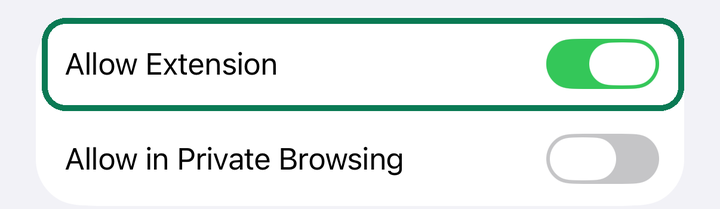
- Tap RightCard Offers Sync and turn on Allow Extension.
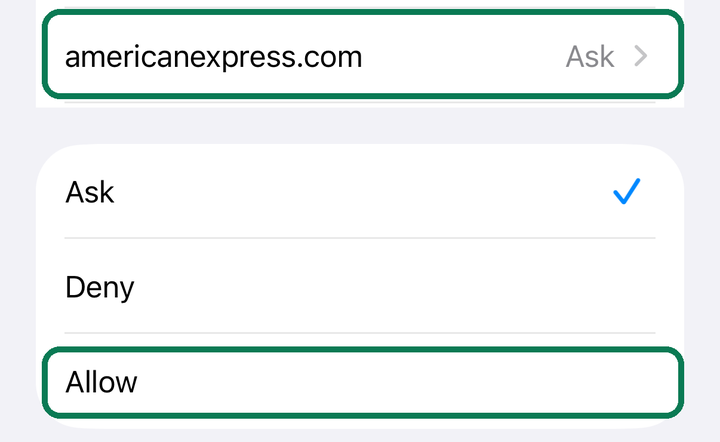
- Tap your bank's website in that list and pick Allow.
Other Websites can stay on Ask. The extension only runs on bank sites either way.
Sync your offers
- Open Safari, not your bank's app.
Sign in and go to the Offers page: Amex Offers, Chase Offers, Citi Merchant Offers or Wells Fargo Deals. Or tap Sync next to your bank on RightCard's Offers tab, and Safari opens it for you. Each bank's page is described in Sync and add offers, bank by bank.
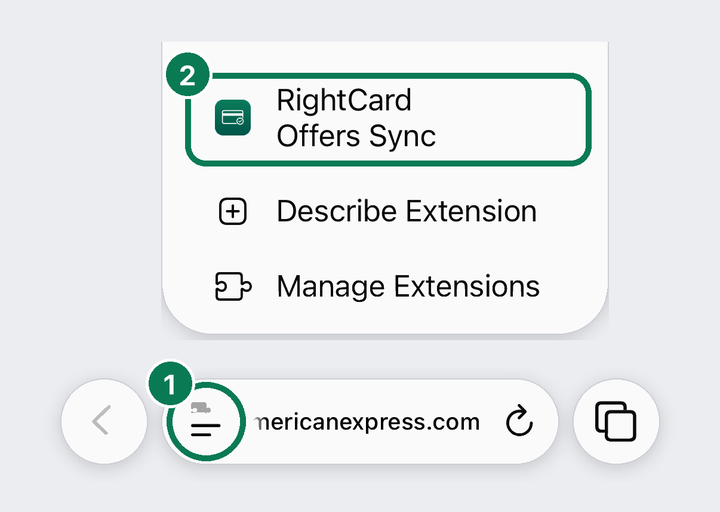
- At the bottom of Safari, tap the Page Menu button, left of the web address. Then tap RightCard Offers Sync.
Don't see it? Scroll down inside the menu.
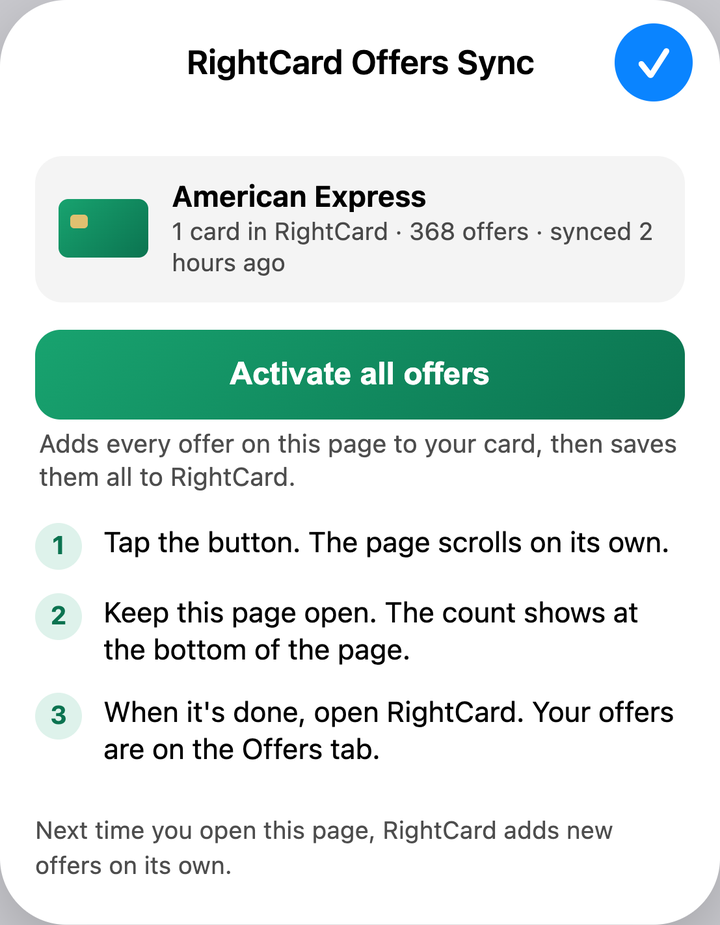
- Tap Activate all offers. It adds every offer on the page to your card, then saves them all to RightCard.
Keep the screen on until it says how many it added. Next time you open the page, it adds new offers on its own. More about it.
- Come back to RightCard.
Tap Back to RightCard in the popup, or open the app. Your offers show up on the Offers tab, sorted by card.
What happens next. RightCard uses those offers when it picks your card: search a store and an offer on one of your cards wins if it's the better deal. Expiring offers show up on Home and in your reminders.
Something not right?
The menu item is missing, nothing happens, or it stopped partway: see Fix the Safari extension.
On a computer, use RightCard for Chrome instead.
Get RightCard on the App Store
Sources
- Get extensions on iPhone: Apple's guide to turning on Safari extensions
- Managing Safari web extension permissions: Apple's rules for which websites an extension may read
- Amex Offers: American Express's own page on how Amex Offers work
- Chase Offers FAQ: Chase's own answers on adding and using Chase Offers
Still stuck?
Email support@rightcard.ai and say which bank and what you see on screen. A screenshot helps. A person reads every one.